Helsinki Spreadsheet
The original spreadsheet stored data about technology development projects around the world. As the spreadsheet grew to 700 records, the UK DTI (Department of Trade and Industry) recognised that it needed the structural and maintenance benefits afforded by a relational database.
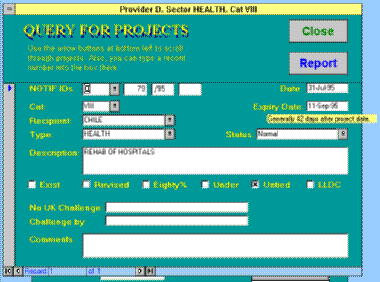
In the new version, projects are categorised and searchable by:
- provider country
- recipient country
- task sector, eg oil & gas, shipping, water, environment
- category, a formal EC designation
Apart from the usual benefits of a using a relational database, the new Microsoft Access version provides a more ergonomic forms-based presentation. It is now considerably easier for the user to search for specific projects – he/she can pick combinations of attributes, and the software finds all the projects which have all those attributes in common (eg projects in Lithuania which promote telecomms, and funded by Denmark). Previously, users relied on a simple text-based “Find” facility in Excel, which was fine for single items, but of course could not be used for complex combinations of items.
The real “relational” benefits are “under the hood”: data entry can be validated properly because the software ensures that every key detail of a project is checked against the list of permitted countries, sectors and categories. This prevents accidental typographical errors, which can make a record difficult to find in some database systems e.g. if a project is recorded as being in the sector of EDCUATION, (note the typoe) then it will never be found in a search for EDUCATION. Similarly, it avoids someone categorising a project as TRANSP and another project as TRANSPORT.